Your year of AI coding, one square a day. Right on your GitHub profile.
tokengraph reads the usage logs your coding agents already keep and turns them into a graph for your README, a live view in your terminal, and story cards for your phone.
npx tokengraph- Nothing to sign up for
- No server
- Your data stays on your machine
- MIT
- Claude
- Gemini
- GPT
- Qwen
- DeepSeek
- GLM
- Kimi
A year of a (made-up) developer, coloured by the model family that did the most work each day.
Reads the usage logs of
- Claude Code
- Codex CLI
- Cursor
- Gemini CLI
- Cline
- OpenCode
- Kilo CLI
- Copilot CLI
- pi
- Qwen Code
- Goose
Three commands. Then it runs itself.
No install, no login. It reads your agents’ logs and opens a live view.
$ npx tokengraph
tokengraph              local only

THIS WEEK  30.6M
STREAK     3 days

Top models · 30 days
claude-sonnet-5 31.0M 36%
claude-opus-5-5 22.4M 26%
claude-haiku-4-5 15.7M 18%
gemini-3-pro 5.9M 7%
Hi, I’m @octocat. Here’s what my agents burned this year:


It lands in your profile README.
tokengraph readme prints the snippet and copies it. The graph follows the reader’s light or dark theme and stays current by itself.
tokengraph readme prints (example)<a href="https://github.com/altindalorcun/tokengraph">
<picture>
<source media="(prefers-color-scheme: dark)" srcset="https://gist.githubusercontent.com/octocat/a1b2c3d4e5f6a7b8c9d0/raw/tokengraph-dark.svg">
<img alt="My AI coding token usage, made with tokengraph" src="https://gist.githubusercontent.com/octocat/a1b2c3d4e5f6a7b8c9d0/raw/tokengraph-light.svg">
</picture>
</a>Your numbers, in your terminal.
tokengraph opens a live view of every agent and model, right where you work.
- 713.4Mweighted tokens, last 52 weeks
- Input ×1
- Output ×1
- Cache write ×1
- Cache read ×0.1
One weighted total across every agent
Cache reads are cheap, so they count for a tenth and everything else in full. One number you can compare from day to day, whichever agent did the work.
- Claude28%
- Gemini23%
- GPT21%
- Qwen10%
Which model family ate your year
Your usage split by model family, and underneath it every model on its own with the raw input, output and cache counts.
3-day streak · best day 10.3M on 9 Oct
Daily rhythm and streaks
The last 14 days as bars, your streak and your best day: the numbers behind every square in the graph.
Previews use a made-up sample developer, not real data.
Your day, ready for your story.
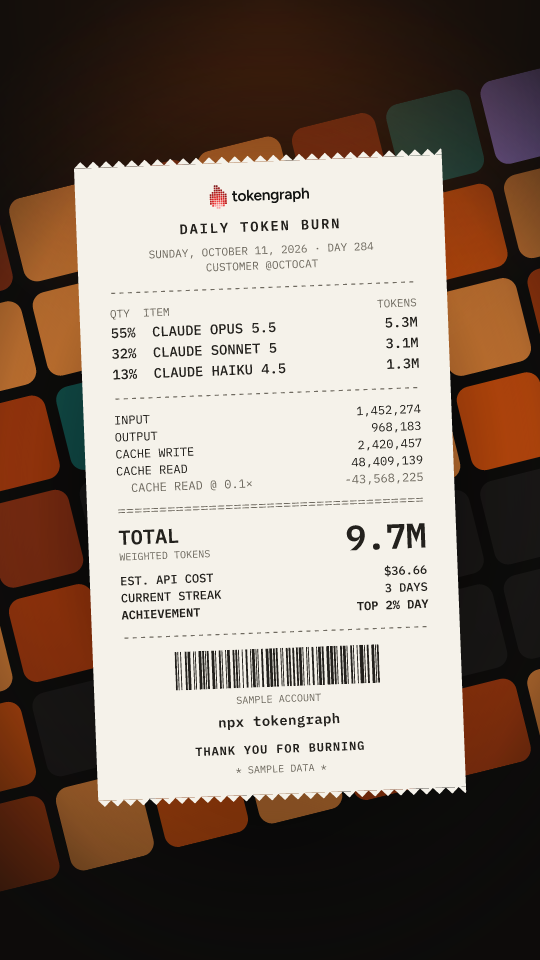
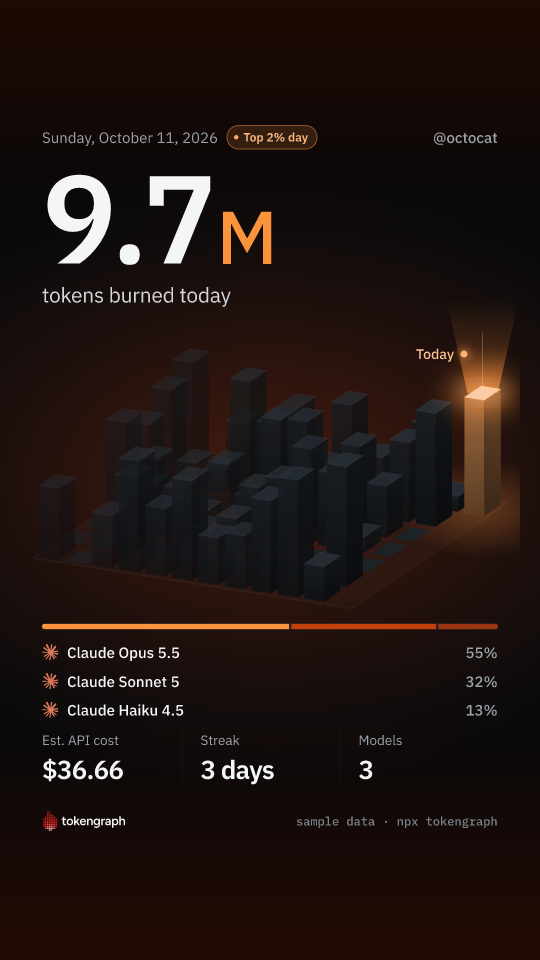
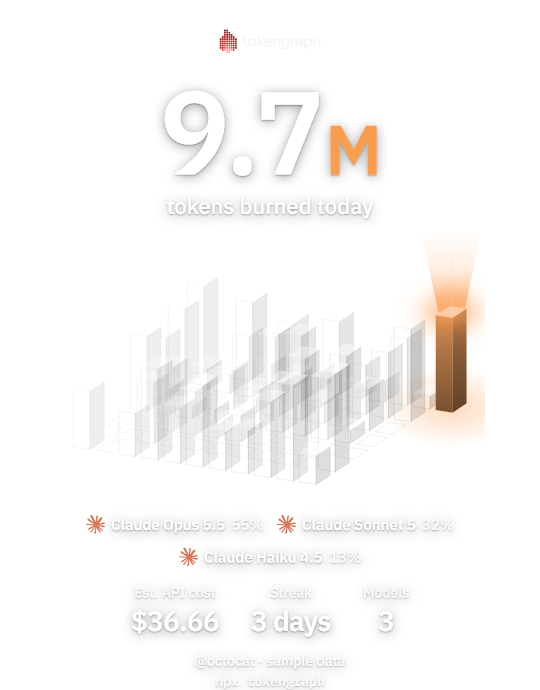
Post your tokens to Instagram or TikTok: your weeks as a city of towers with today lit up, a receipt of the models you ran, or a transparent sticker for a photo of your desk. Same numbers as your graph.
- Receipt
- Skyline
- Sticker

Scan it — this one opens the repo
- Run
npx tokengraph story. - Scan the code with your phone on the same Wi-Fi.
- Save to Photos and post. Nothing is uploaded anywhere.
Where your data goes.
Stays on your machine
The logs your agents write are read locally. The ledger tokengraph keeps lives in
~/.tokengraph, and only counts go in it, never prompts or code.Published to your own gist
Only after
tokengraph login: the graph image goes to a public gist on your GitHub, and daily per-model counts to a secret one (unlisted, not private: anyone with its URL can read it). Login asks for gist access only.No server at all
Nothing to sign up for, nothing to shut down, and nothing of yours stored with us that could leak.
Get your graph in a minute.
One command, nothing to sign up for.
npx tokengraph